Find Teammates for My Idea
The Find Teammates feature allows Submitters to easily and effectively find the right teammates for their submissions.
Enabling and Adding the Widget
- To get started, Admins can navigate to Site Setup > Ideas and enable the following options:
- Find Teammates
- Expertise on Ideas
- Team Submission
- After enabling, the "Find Teammates" button will appear on the Idea Details widget
Finding Teammates
- When an Idea is submitted with a specified Expertise, Admins and the Idea Submitter can then search for Teammates who match the Expertise on that Submission.
-
To search for Teammates, select Find Teammates on the View Idea page
-
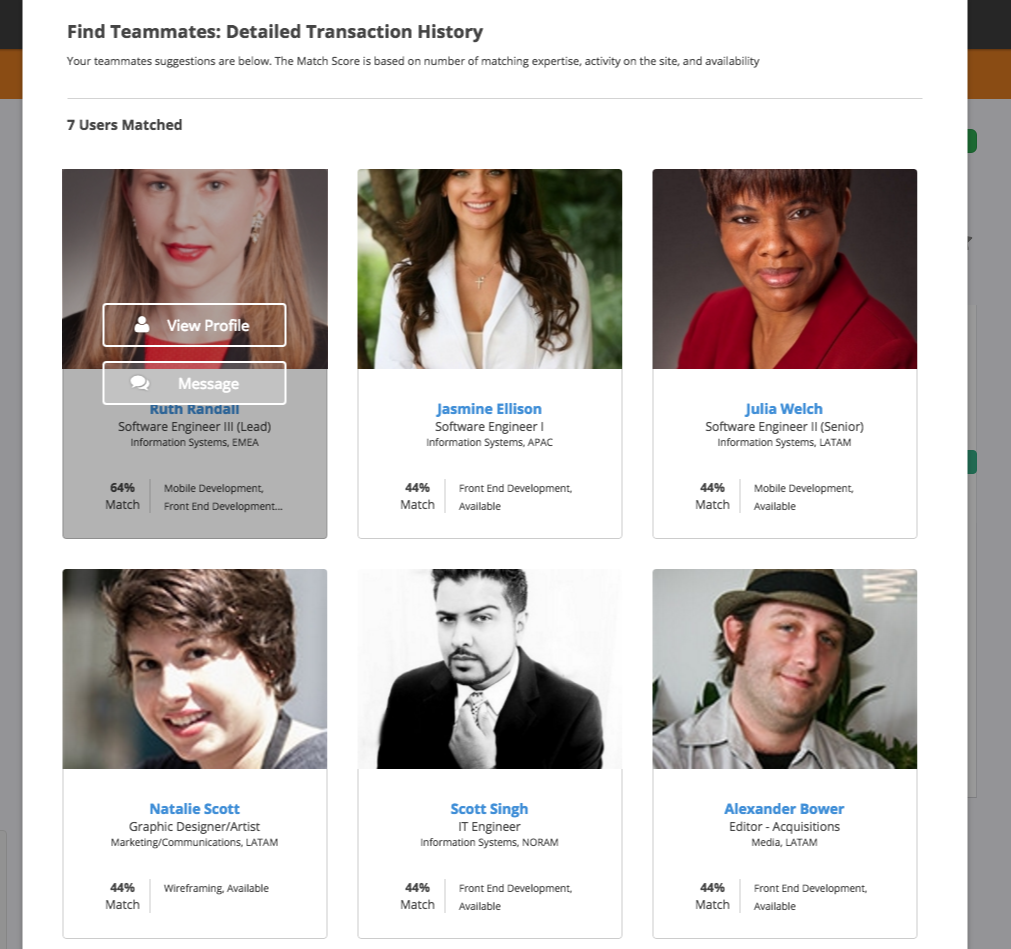
Selecting the Find Teammates button will produce a screen displaying the users that will best match the Submission. Brightidea will recommend users based on matching qualifications- like expertise and the user's activity, amongst others- to rank them higher on the Find Teammates screen. All users will show on this screen, even if they have a 0% match.
- The user can then select a potential Team Member and send them a message by selecting Message
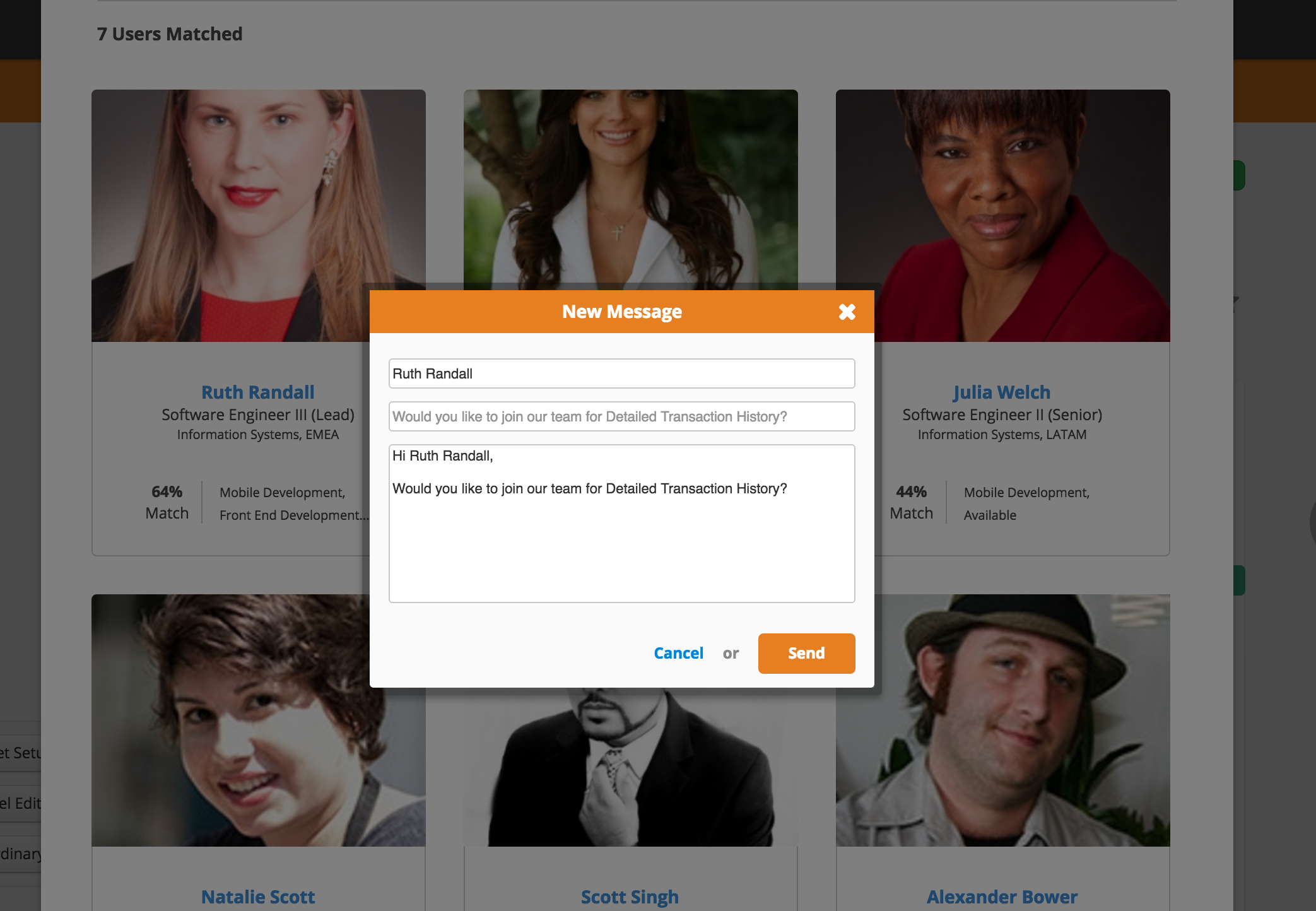
- A prompt will display a message to the potential Teammate to request if they would like to join the Submission team:
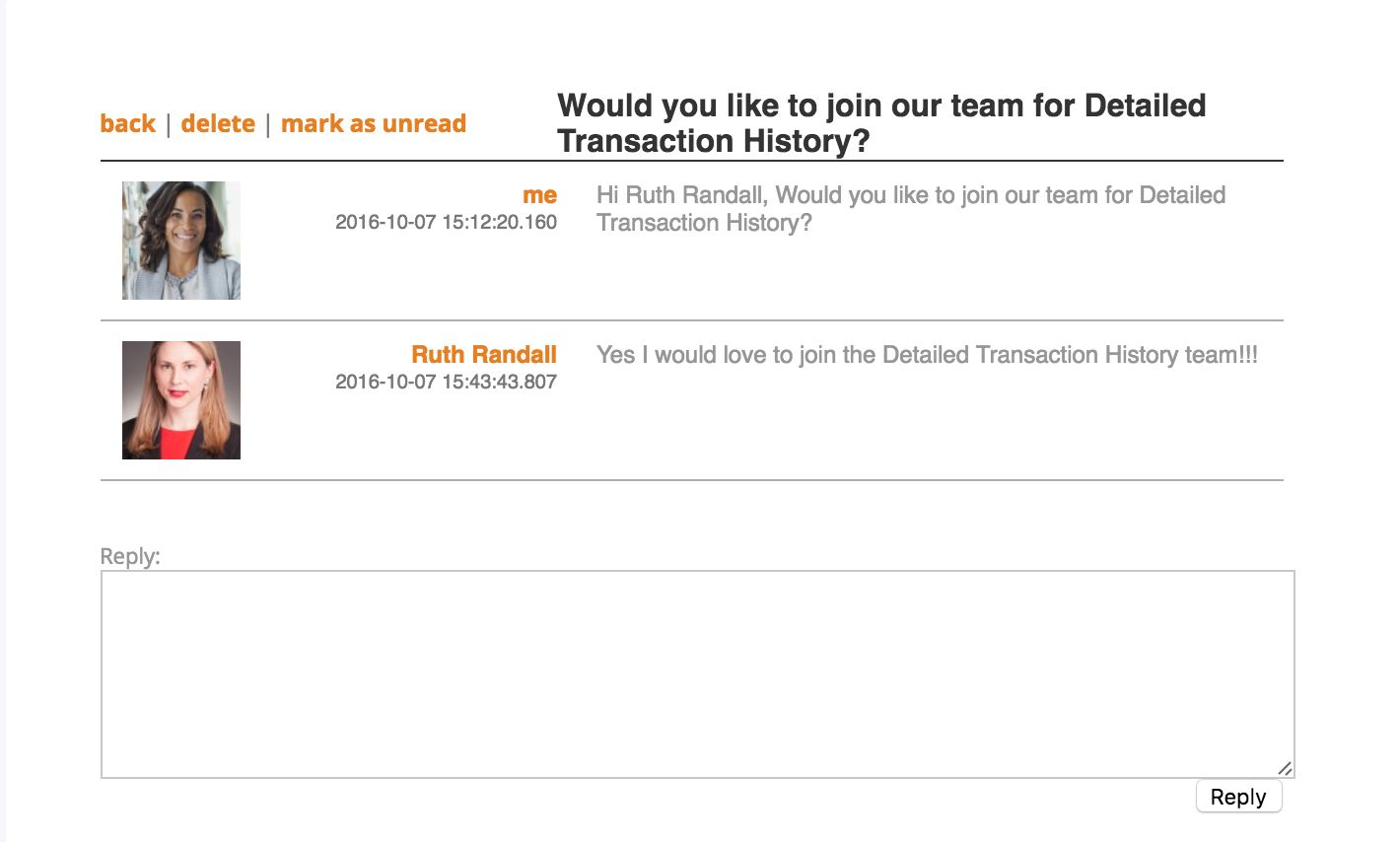
- The user can then respond whether they wish to join the team or not via a private message:
- After the user confirms that they wish to join, they will need to manually add themselves to the Team by editing their Submission. To learn more about configuring Team Submission, check out this Support article.
Important Notes:
- Find Teammates is not available for the Pitch app.
- Find Teammates will only show users who are not on another Idea team; users already on a Team will not be recommended via the Find Teammates feature.
- Note: The Idea Submitter or any Admin can still manually add any users to the Idea team.
- Only users with access permissions (groups/domains) to the Initiative will be returned.
- Users who are more active in the Initiative (based on the number of user logins) will have a higher match percentage than less active users with the same expertise.
- Find Teammates will not show the logged-in user performing the search as a recommendation.
- Deactivated users are excluded from Find Teammates.
Comments